

Synth-shell script not rendering certain symbols | How to fix this?
Fix Powerline Fonts rendering issue for synth-shell with these steps.

The Synth-Shell
What does my terminal look like? Well, It looks like this:
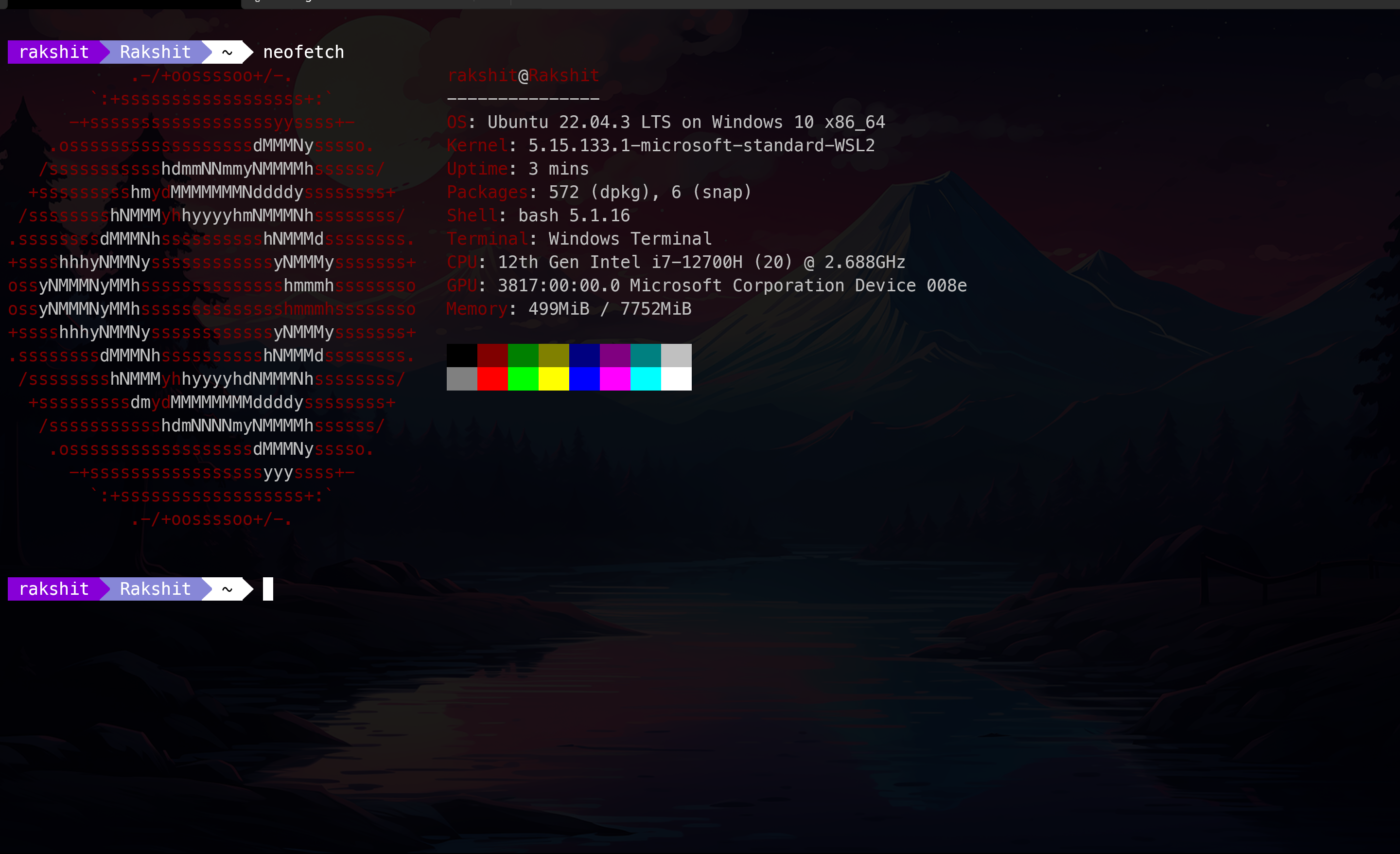
Thanks to this wonderful script by @andresgongora, you can beautify your boring terminal, hence increasing your screen time!
Installation
Installing synth-shell is a simple process, but there is a caveat. If you're installing it on a Linux machine, you likely won't encounter any issues. However, if you're installing it on a WSL or a virtual machine, there may be some complications. For installation, refer to setup.
I had no issues during the installation process on my Linux computer. However, when I installed it on WSL2, I noticed a problem with rendering special symbols. Specifically, the bigger triangle character '\uE0B0' was not displaying properly, even though I had installed Powerline Fonts.
For templates, refer config examples.

The Fix: Nerd Fonts!
It is worth noting that sometimes PowerLine Fonts fail to render default Windows fonts. To avoid this issue, it is recommended to install Nerd fonts as they are more reliable. Nerdfonts
My personal favorite is the Meslo LGS Nerd font. Once you have installed the nerd fonts, you can change your default font in the terminal by navigating to Settings > Profiles > [Your Linux Profile] > Appearance > Font face and selecting any nerd font for Powerline.To access the triangular separation, navigate to ~/.config/synth-shell and execute the command nano synth-shell-prompt.config, this should open up the nano editor.

- Make sure to set the separator character to \uE0B0 in the Behavior section to achieve a sleek triangular shape around your user, host, and pwd.
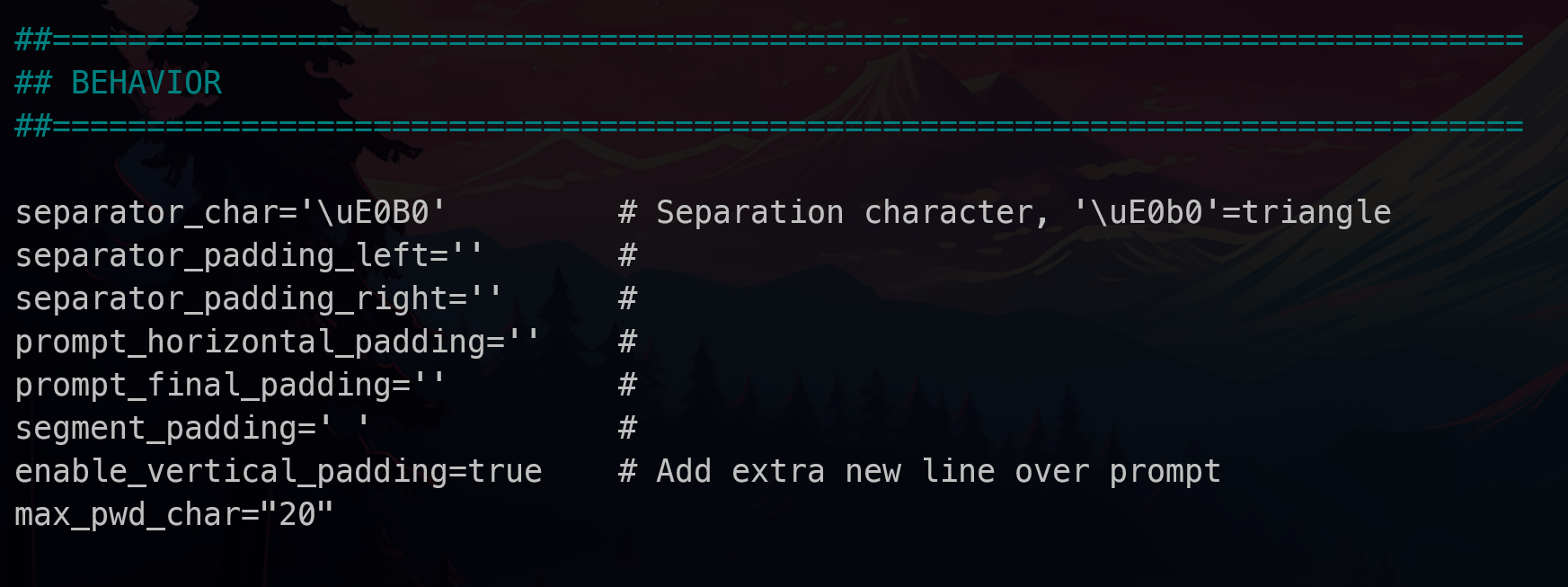
Now your special characters should be rendering properly.